Background music remover: the song under the talking
Shop speakers, gym playlists, café radio. Take the music out of what you filmed or recorded and keep the people talking.
By uploading you confirm you have the rights to this file. Terms
The street music is gone, the answers stay
Is the music the main sound?
This page is for a song playing behind people talking. If the music is the point of the file, use one of these.
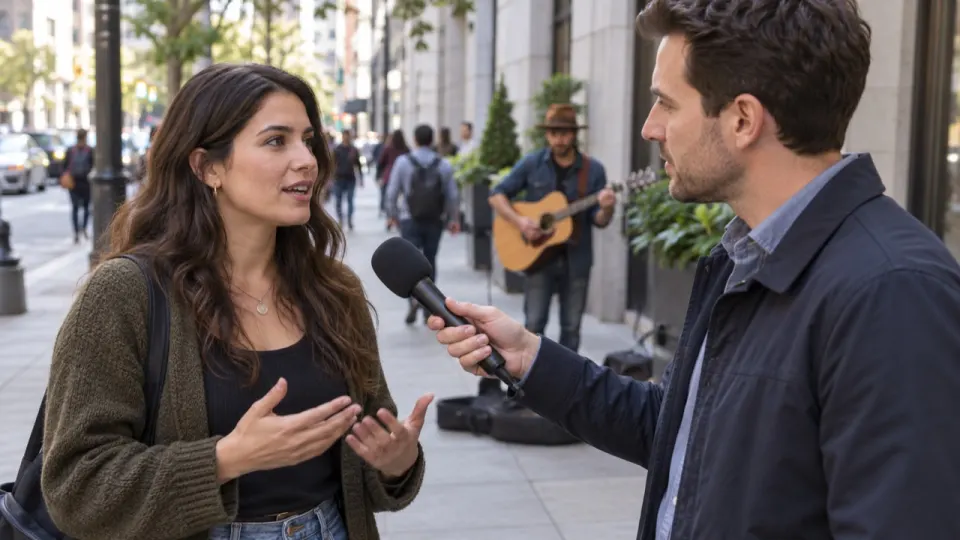
Before and after: a street interview
The answers stay clear, the traffic and the crowd stay. The song from the shop next door is gone.
Where background music comes from
You did not put it there, but the microphone heard it.

Speakers by every stall.

The playlist is louder than the coach.

A song behind every table.
A car or a shop next to the camera.

Music on while the toasts are filmed.

A radio in the kitchen, a jukebox by the door.
Remove or lower the background music
Background music opens at 0. Some videos feel empty without it: set Music to 15 or 20 and it stays as a quiet bed under the voice.
The download uses exactly the mix you set. Change it as often as you like before you download.
What it does with quiet music
Comes out
- Songs from shop, café or car speakers
- A playlist under a class or a workout
- Music that is quieter than the voice
Stays in
- People talking, even far from the camera
- Applause, laughs, footsteps and traffic
- Someone singing along: their voice counts as voice
Background music remover examples
Each one had music playing in the room while it was filmed.
Real result, not edited afterwards. The voice and video are AI-generated. Music: “Happy”, Lebrozu (CC0).
How to remove background music
- aimusicremover.comcafe-vlog.mp4 · 412 MBPreparing your video100%01
Upload your video
MP4, MOV, WEBM or MKV, up to 100 minutes. Only the sound is uploaded.
- aimusicremover.comOriginalNo musicVoiceEffectsMusicVoiceEffectsMusic02
Hear 30 seconds free
Play the start with and without music before you spend a minute.
- aimusicremover.comDownload video (MP4)Audio only All tracks · ZIPcafe-vlog-musiceraser.mp4 · 1080p · 3:4203
Download the same video
MP4 with the music gone, plus each track if you want them.
Who removes background music
Pick what you film and see how people like you use it.
Interviews you can actually post
Film where people are. Take the shop music out afterwards and keep the street around the answers.
- Answers at full level
- Street and crowd kept
- Voice track ready for captions
Background music remover: questions
Something else? Write to us, a person answers within a day.
All questionsHow do I remove background music from a video?
Upload the video above. We split the sound into voice, effects and music and set the music to 0. Play the free 30-second preview, then download the same video without it.
Is this the same as a BGM remover?
Yes. BGM, BG music and background music all mean the song playing under the talking. This BG music remover takes it out of a video or an audio file and keeps the voices and the sounds around them.
Can it remove music that is very quiet?
Yes. Quiet music under speech is what this page is for. If you still hear a little, tap "Still hear music?" for a free deeper pass.
Will the street or the crowd disappear too?
No. They have their own Effects track and stay at full level unless you turn them down.
Can I keep the background music as a quiet bed?
Yes. Set Music to 15 or 20 before you download and it stays as a quiet bed.
What if someone in the video sings along?
Their voice counts as voice, so it stays. Only the recorded music comes out.
Does the video look the same after?
Yes. The picture, length and lip sync stay as they were; only the background music is gone.
Can I save the background music as its own track?
Yes. Voice, effects and music each download on their own as WAV or MP3, or together in a ZIP.
What happens to my recording afterwards?
From a video, only the sound is uploaded. The tracks are deleted after 24 hours without an account, 3 days on a free account and 7 days on a paid one.
Which videos and recordings can I upload?
Vlogs and clips in MP4, MOV, WEBM or MKV, and recordings in MP3, WAV, M4A, AAC, FLAC or OGG, up to 1.5 GB (200 MB on a phone). Free minutes take files up to 10 minutes long, a plan or pack up to 100.
Is the background music remover free?
Yes, you can start free: the first 30 seconds of every file need no account, 3 times a day. Sign up for 10 free minutes for whole files, no card needed. After that, plans start at $9.99 a month for 200 minutes, or a $9.99 pack of 120 minutes that never expires.
Can I remove background music on my phone?
Yes, in Safari or Chrome on iPhone and Android, for files up to 200 MB. Nothing to install.


Film anywhere. Post it clean.
30 seconds free without signing up. 10 free minutes when you do.