
Instagram mutes a reel and shows Audio unavailable when it can no longer use the music in it. On a muted reel you can swap in a library track once; on any other reel you can’t edit the sound at all. The lasting fix is to take the song out of your own copy of the clip with Remove music, keeping your voice and the sounds of what you filmed, then post that version. The first 30 seconds are free.
The one swap Instagram allows
According to Instagram, a muted reel can have its audio replaced, but only once, and only with a track from Instagram’s own music library. A reel that hasn’t been muted has no option to edit its audio at all.
| Your reel | What Instagram lets you do | What it can’t do |
|---|---|---|
| Muted, Audio unavailable | Replace the audio once with a library track | Keep your own voice under the new track |
| Not muted, music in it | Nothing to the sound after posting | Swap or remove the song |
| Not posted yet | Anything you like before you post | Nothing stops you; this is the moment to fix it |
The swap is fine for a dance clip or a scenery montage where the music was the whole soundtrack. For a reel where you speak, it isn’t much of a fix: your words were in the same sound as the song, so replacing that sound replaces you too. The only way to keep what you said is to fix the clip itself and post it again.
Music for business and creator content
A lot of muted reels come from brand accounts, and the reason is the licence. Instagram says its licensed music library is for personal, non-commercial use, and that some business accounts and post types can’t use it at all. It may also not be offered in every country.
- Meta’s Sound Collection is the alternative it offers: more than 14,000 royalty-free songs and sounds that Meta allows in Reels and Stories and for commercial uses such as ads.
- Meta’s Music Guidelines, in force since 26 March 2024, say music can’t be used for commercial or non-personal purposes without a licence, and that content breaking this can be blocked, muted or removed.
- If you sell something, assume the popular song is off limits for that post, even if the app lets you pick it.
Here is how that plays out on a product video. This unboxing was filmed with a cheerful track playing in the room, which is exactly the kind of background music a shop account can’t rely on.
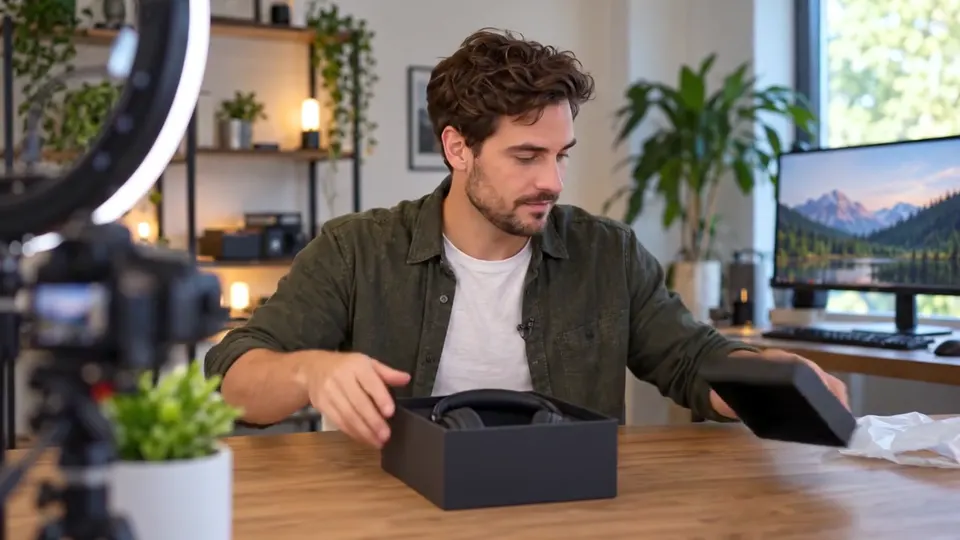 “Okay, new headphones, let us take a look.”
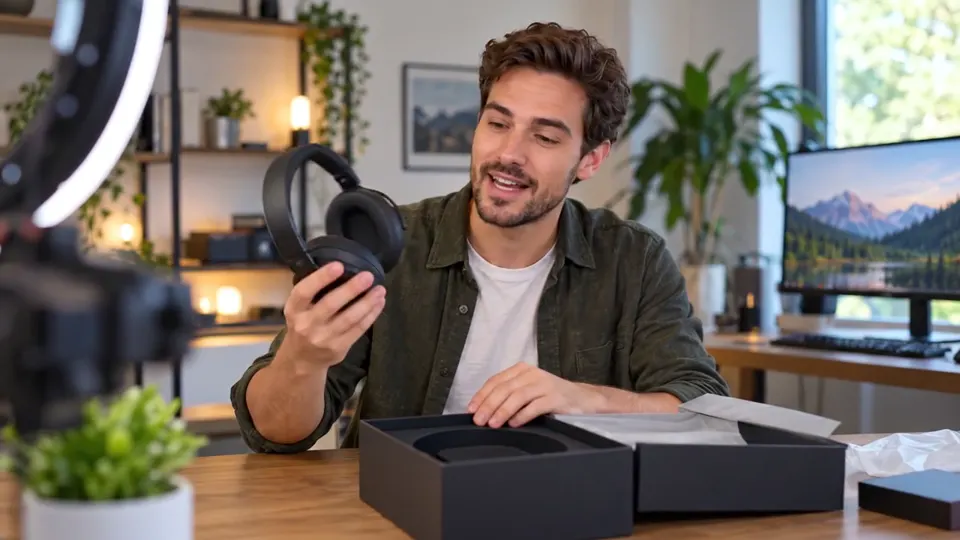 “First impression, they are a lot lighter than I expected.”
 “Noise cancelling on. Wow. I cannot hear my fridge anymore.”
Take the room music out and you’re left with the review and the rustle of the box, ready for a Sound Collection track underneath if you want one. We’re describing what Instagram and Meta say, not giving legal advice; check their pages for your account type.
Taking the song out of the clip itself
Whether the reel is already muted or you’re about to post, the fix starts from your own copy of the video, not the one on Instagram. Use the original from your camera roll if you still have it; it usually sounds better than a copy saved back out of an app.
Our cooking reel is a typical case: a cook talking through a pasta recipe with a band record playing in the kitchen.
 “The secret is saving a cup of the pasta water.”
 “Add it slowly and keep stirring.”
 “Glossy, silky, done in ten minutes.”
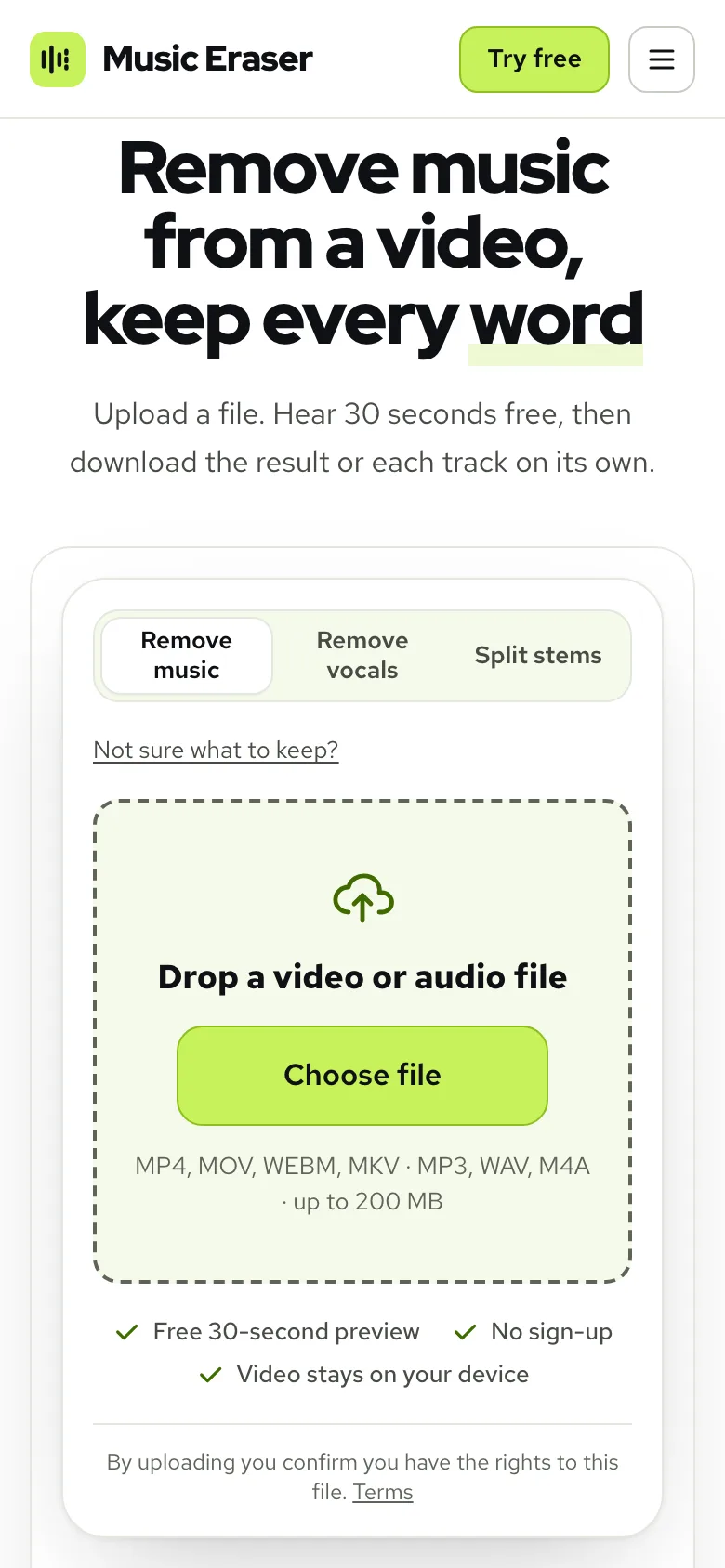
- 1Open Remove music from video and tap Choose file to pick the clip. On a phone that’s your photo library; see the phone guide for the size limit there.
- 2Stay on Remove music. If you’re unsure, Not sure what to keep? asks what you want and chooses for you; for a recipe, a tour or a review, Voice and sound effects is the answer.
- 3Wait for the free 30 seconds preview and play it through. Listen in the gaps between sentences, where leftover music shows up first.
- 4Happy with it? Tap Process full video, then Download video (MP4).
Real result, not edited afterwards. The voice and video are AI-generated. Music: “Ave Pancakes”, United States Air Force Band of Mid-America (public domain).
Keeping the sounds that make a reel feel real
A reel with nothing but a clean voice can sound like a voice-over pasted onto footage. The sizzle, the spoon on the pot and the room are what make it feel filmed. That’s why Voice and sound effects is the right pick for most reels and Just the voice is better saved for talking-head clips with nothing worth keeping around them.
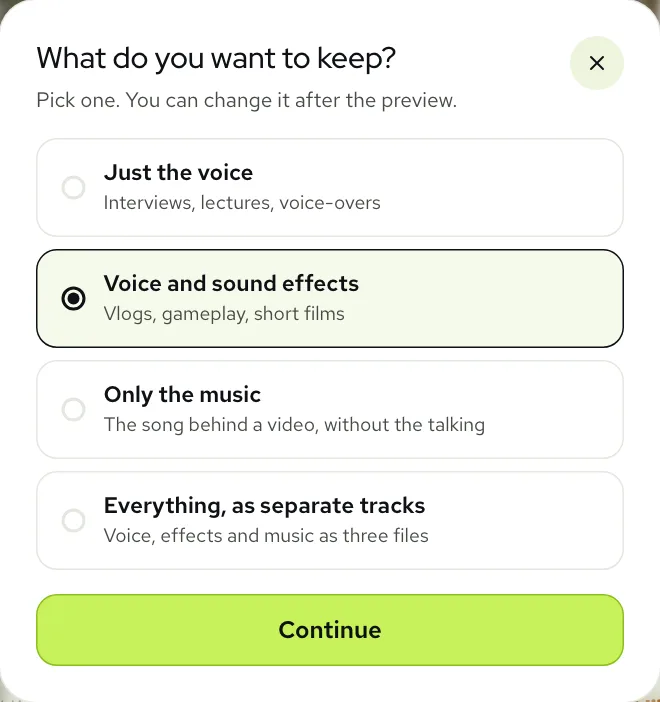
If the kitchen is louder than you’d like now the music isn’t covering it, open Sliders and bring Sound effects down a little. If you plan to add a track inside Instagram, leave the voice a bit louder than feels natural, since the new song will sit on top of it.
Posting the clean version
The clean clip goes up as a new reel. Before you post it, decide what the old muted one should do: leave it, archive it, or take it down. That part is up to you; the steps below are about the new one.
- Want music under it? Add it inside Instagram from a track you’re allowed to use for that account, at a low level so your voice stays clear.
- Posting for a brand? Use Sound Collection or music you’ve licensed, not a trending song.
- Want no music at all? Post it as it is. With no song left in it, there is no music for a later check to find.
Each reel costs one minute per minute of sound, counted by the second, so a 30-second reel uses half a minute. New accounts start with 10 free minutes, and your results stay in My files for 3 days on a free account, or 7 days on a paid one.
For TikTok, which has its own music rules, read removing music from a TikTok video. If your reel was recorded somewhere with a shop or a café playing music, the vlog guide covers that case.
Questions
What does Audio unavailable mean on Instagram?
It means the reel has been muted. Instagram says that happens when music agreements change, the account can’t use that music, or the rights holder blocks it; the reel stays viewable without sound.
Can I remove the music from a reel I already posted?
Not inside Instagram. You can replace the sound once on a muted reel with a library track, but that replaces your voice too; take the song out of your copy of the clip and post it again instead.
Can a business account use popular songs in reels?
Often not. Instagram says its licensed library is for personal, non-commercial use and some business accounts can’t access it; Meta points businesses to its Sound Collection for commercial use.
Will my voice still sound natural without the music?
Yes, in most clips. The voice and the room sounds stay as they were, and you can check it on the free preview before using any minutes.
Can I clean a Reel on my phone?
Yes. It runs in your phone’s browser with nothing to install, for clips up to 200 MB.