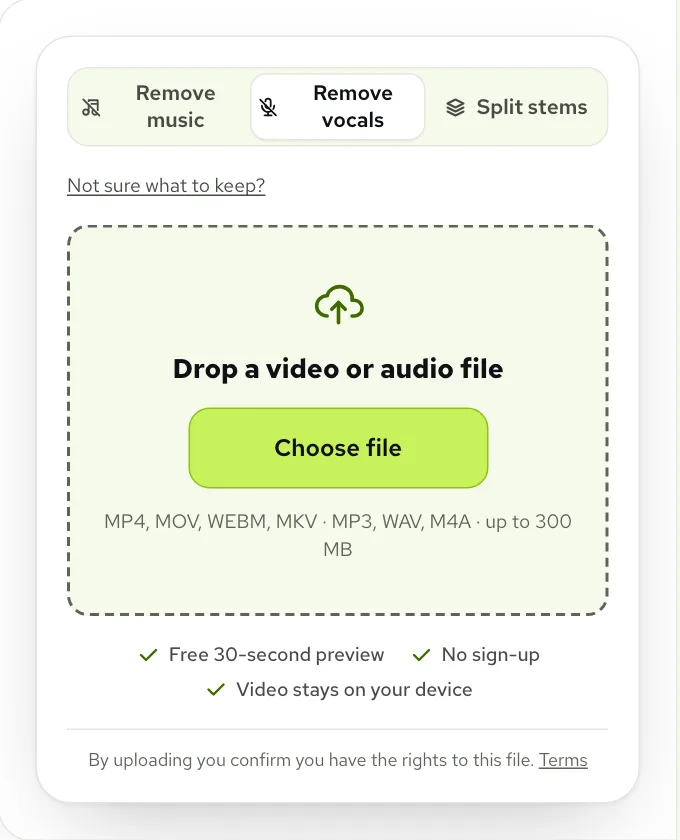
Use a music remover when someone talks over a song and you want to keep the talking. Use a vocal remover when the file is the song itself and you want the singer and the band apart. We ran both on one clip of a voice over a song with singing: Remove music kept the speaker and took the singing out with the band, while the vocal remover kept the singing at full volume next to the speaker. Both are free to preview for the first 30 seconds.
What is the difference between a music remover and a vocal remover?
Both tools take a sound file apart, and both promise to remove something. The difference is what each one thinks a voice is. A music remover is built for videos and recordings where people talk. It hears speech as the thing to keep and treats the whole song, its singer included, as music. A vocal remover is built for songs. It hears any voice, sung or spoken, as the vocal, and everything else as the band.
Most of the time that difference stays hidden, because the files people bring have only one kind of voice in them. A song has a singer. A vlog has a speaker. The trouble starts with the file that has both: a podcast with a pop song under the intro, a dance class filmed with the radio on, a birthday video where everyone is talking while a song plays. There the two tools give opposite answers, so we tested exactly that case.
| Music remover | Vocal remover | |
|---|---|---|
| Built for | Videos and recordings with talking | Songs |
| Treats as the voice | People speaking | Anyone singing or speaking |
| Treats as music | The whole song, singing included | The instruments only |
| What you get here | Voice, sound effects and music, mixed or as three files | Vocals and Instrumental as two tracks |
| Pick it for | Vlogs, podcasts, interviews, events, gameplay | Karaoke, backing tracks, a cappellas, covers |
The clip we put through both tools
We needed a clip where we knew exactly what was in it, so we made one. The voice is the host from our podcast example, 23 seconds of plain talking. Under it we laid a free pop song from our sample library, cut to the part with the most singing in it. The song’s own singing is quiet and comes in short hooks, so we turned it up until it sat as loud as the band, the way a lead singer does in most pop songs. Then the whole song went under the voice at the level background music usually has in a vlog: clearly there, but behind the words.
 “Hi everyone, welcome back to the show.”
 “Thanks for having me, this is my first podcast ever.”
 “So tell us, how did the whole thing start?”
Because we built the clip from separate parts, we kept each part on its own: the speech, the singing and the band. That let us check each result against the truth instead of judging by ear alone. We sent the same clip through Remove music and through Remove vocals, once each, with the settings the site uses by default and nothing tuned by hand.
- The clip: one speaker, a song with singing for about seven of its 23 seconds, and the band throughout.
- Remove music: the voice and sound effects kept, the music taken out.
- Remove vocals: the vocals kept on one track, the instrumental on the other.
- For each result we worked out how much of the speech, the singing and the band it held.
What each one kept
Here is the clip three ways. Start on Original to hear what went in, then switch tabs while it plays. The playhead stays where it is, so you can jump between results at the same line and hear the difference straight away. The singing is easiest to catch in the second half of the clip.
Remove music did what a video editor wants. The speaker came through almost untouched, and the singing went out with the band: nearly all of it landed in the music track, and what stayed under the voice was faint enough that you have to listen for it. The vocal remover did what it is built to do, which on this clip is the wrong thing. It put the speaker and the singer on the same track and kept both at full volume. Its other track was the band alone, with no singing and no speech in it.
| What we checked | Remove music | Vocal remover |
|---|---|---|
| The speaker | Kept, nearly all of it | Kept, nearly all of it |
| The singing, on the track you keep | Almost none, a faint trace | All of it, as loud as before |
| The band, on the track you keep | Almost none | Almost none |
| Where the singing went | Into the music track, with the band | Into the vocals track, with the speaker |
| Right for this clip? | Yes | No: you would hear someone singing under the voice |
What each one took out
The other half of each result tells the same story from the other side. Remove music returns the music as its own track, and here that track is the full song: the band and its singer, with the speaker gone. The vocal remover’s instrumental is the band without any voice at all, because both the singer and the speaker went to its vocals track.
That makes each result useful for something. The music track from Remove music is what you want if you are after the song behind a video without the talking, which is the Only the music choice in the tool. The vocal remover’s instrumental is a clean karaoke track of the band, which is only useful if the file was a song to begin with.
Which one should you use?
Ask what you want to hear at the end, not what you want to get rid of. If the answer is a person talking, the song is the problem, singer and all, and a music remover is the one that sees it that way. If the answer is a singer or a band, the file is a song, and a vocal remover splits it along the line you need.
- A vlog, podcast or interview with a song behind it: Remove music, on the Remove Music from Video or Remove Music from Audio page.
- A song you want to sing over: the vocal remover, or the Karaoke Maker, which opens with the instrumental only.
- A song where you want only the singer: the vocal remover on Vocals only.
- A recording where you want the words and nothing else, not even the room: the Voice Isolator.
- Anything where you would rather decide in your editor: Split stems, which returns voice, sound effects and music as three files.
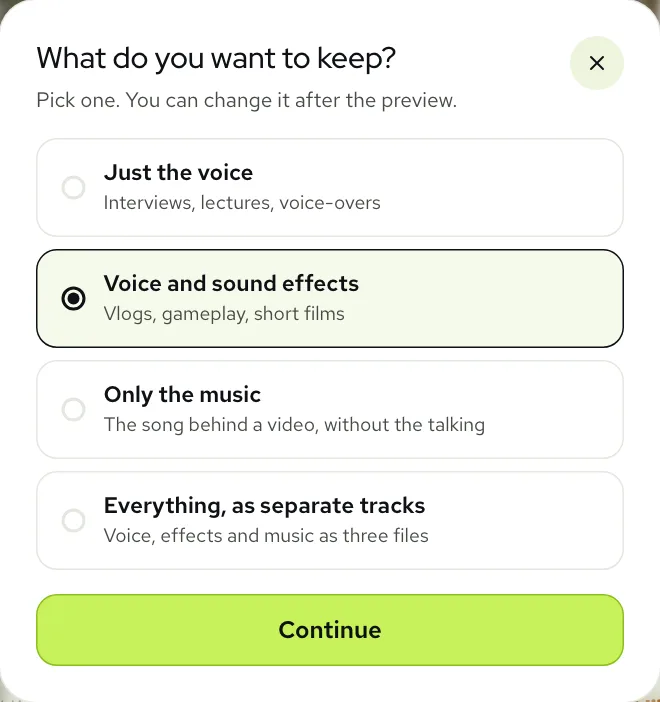
If you are still unsure, tap Not sure what to keep? in the tool. It skips the names of the tools and asks what should be left: Just the voice, Voice and sound effects, Only the music, or Everything as separate tracks. Each answer sets the mode for you. None of the four is the vocal remover, because none of them is about a song.
When the vocal remover is the right one
None of this makes the vocal remover the weaker tool. On a song it is the one you want, and Remove music would be the wrong pick there: it would hand you the whole song back as music and leave you nothing to keep. The vocal remover gives you Vocals and Instrumental as two tracks that line up, so you can mute either, turn one down for a guide vocal, or download both.
The one thing to watch for is a song with someone talking over it, such as a radio host speaking over the start of a track, or a rapper with an ad lib. To a vocal remover, the talking is part of the vocals. If you want the instrumental, that is fine: it all goes. If you want only the singing, the talking will come with it.
The same choice on a busy street
Our street interview has the same mix in a messier form: a reporter and a cyclist talking, traffic going past, and a song with singing playing from a shop speaker. With Remove music the song goes, singer and all, while the voices and the street stay. A vocal remover would put the reporter, the cyclist and the shop’s singer on one track and leave the traffic with the band.
If you still hear a little of a song under the voice after a preview, tap Still hear music? in the tool for a deeper pass on the same mode before you reach for a different one. Switching to the vocal remover will not help on a video with talking, as the test above shows: it keeps the singing.
Do they cost the same?
Yes. Both are part of the same tool, and the preview of the first 30 seconds is free in either, with no account, up to 3 times a day. That is enough to run your own file through both and hear which one is right before you spend anything. Processing the whole file uses minutes equal to its length, whichever mode you pick: a new account starts with 10 free minutes, and after that packs start at $9.99 for 120 minutes and plans at $9.99 a month for 200 minutes. See pricing for the rest.
You can change the mode after the preview. Moving from Remove music to Remove vocals, or back, splits the sound a different way, so the tool makes a new preview for you to compare.
Questions
What if the background music in my video has singing?
Use Remove music. In our test it took the singing out with the band and kept the speaker, while the vocal remover kept the singing next to the speaker.
Can a vocal remover take music out of a video?
Only the instruments. It keeps every voice, so a song’s singer stays under the people talking, and the sounds of the place go with the band.
Can a music remover make a karaoke track?
No. It treats the whole song as music, so it can’t split the singer from the band. Use the [Karaoke Maker](/karaoke-maker) or the vocal remover for that.
Is it free to try both?
Yes, both start free: the first 30 seconds of your file is a free preview in either mode, 3 times a day, so you can compare them on your own file. For whole files, new accounts get 10 free minutes; after that, plans start at $9.99 a month for 200 minutes, or packs at $9.99 for 120 minutes.